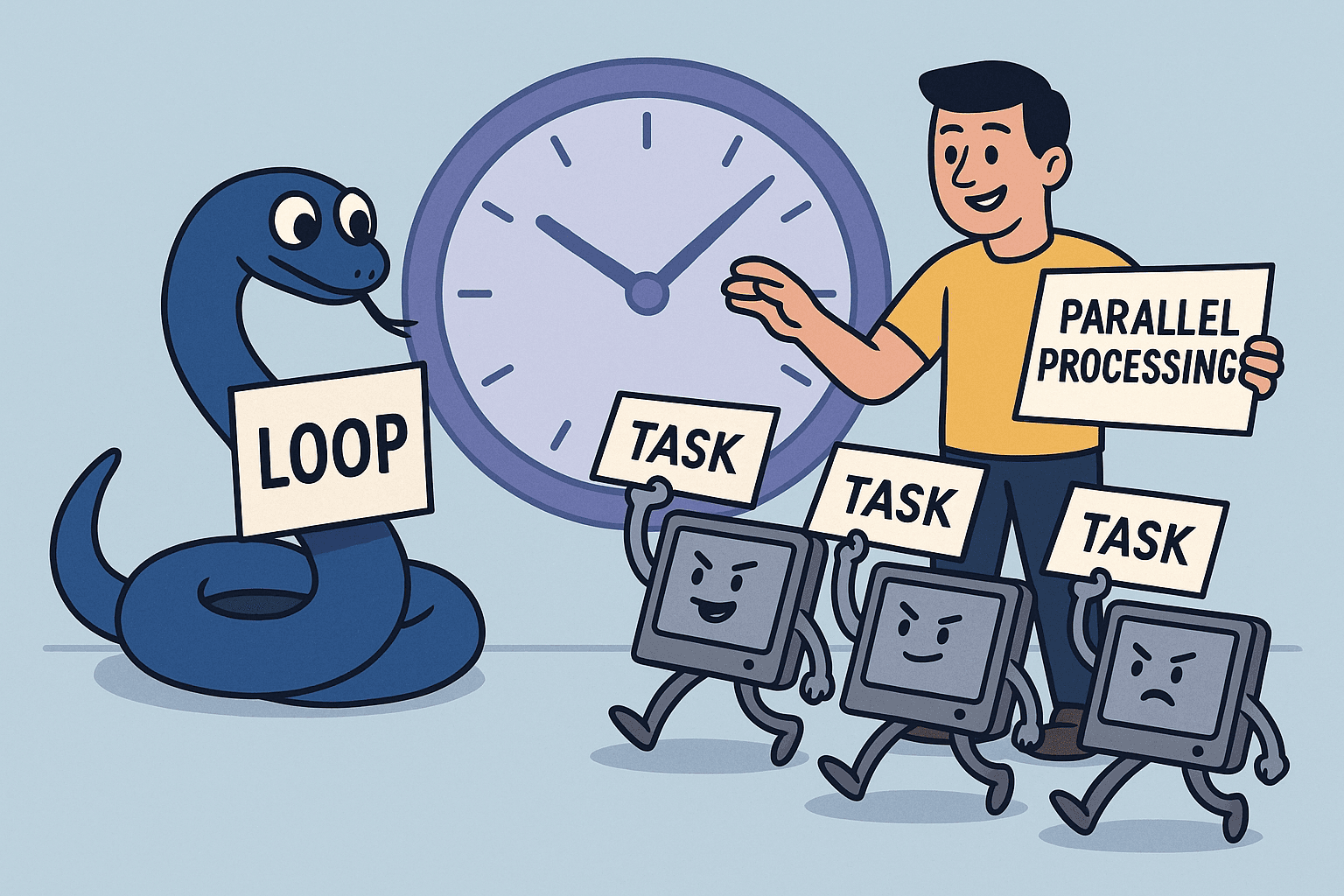
You have a CSV with 500,000 rows. Each row needs processing - maybe cleaning text, calling an API, or running a calculation. You write a loop. It works. But it takes 10 minutes.
Someone tells you: "Just parallelize it."
So you add multiprocessing. Now it crashes. Or runs even slower. Or produces corrupted results.
Here is the truth: parallel processing is not magic. It is a tool with specific use cases. When you understand those cases, you can turn 10-minute jobs into 30-second ones. When you do not, you create problems that are harder to debug than the original slowness.
First: Check If You Have Multiple CPU Cores
Before you read further, check if parallel processing will even help you.
Multiprocessing only speeds things up if you have multiple CPU cores. If your machine has one core, parallelization will make things slower due to overhead alone.
Check your core count:
import multiprocessing print(f"CPU cores available: {multiprocessing.cpu_count()}")
Most modern computers have at least 4 cores. But if you only have 1, skip the multiprocessing sections of this article entirely and focus on vectorization instead.
Note for API-heavy workloads: If your slow code involves making lots of API calls or network requests, multiprocessing is not the answer. Skip ahead to the async/await section later in this article - that is the tool designed for I/O operations like APIs.
Now, assuming you have multiple cores and CPU-intensive work, here is how parallelization works.
What Parallel Processing Actually Means
In Python, when you write a normal loop:
results = [] for item in data: result = process_item(item) results.append(result)
Python processes each item one at a time. Item 1. Then item 2. Then item 3. Sequential. Single-threaded.
Parallel processing means splitting the work across multiple CPU cores:
from concurrent.futures import ProcessPoolExecutor with ProcessPoolExecutor() as executor: results = list(executor.map(process_item, data))
Now Python processes multiple items simultaneously. Item 1, 2, and 3 might all run at the same time, each on a different CPU core.
But this only helps if certain conditions are true.
Before Parallelizing: Can You Vectorize with Pandas?
Before reaching for multiprocessing, always ask one question:
Can this be vectorized?
Vectorization means operating on entire columns at once instead of processing rows in Python loops. Pandas and NumPy push these operations down into optimized C code, which is often faster than multiprocessing with far less complexity.
Note: "Vectorization" here means operating on whole columns using Pandas/NumPy to avoid Python loops, not converting data into embeddings or ML vectors. Those are different concepts that happen to share the same name. Embeddings help with similarity search and retrieval. Pandas vectorization speeds up execution by avoiding per-row Python overhead.
The key mental shift: operate on columns, not rows.
Instead of processing one row at a time in Python, you apply operations to entire columns at once. The work still happens on every value, but it runs in optimized C code instead of slow Python loops.
Example: vectorized user processing
Instead of looping row by row (slow, operates on each row):
results = [] for _, row in df.iterrows(): email = row['email'].strip().lower() phone = row['phone'].replace('-', '').replace(' ', '') results.append(email)
You can do this (fast, operates on entire columns):
df['email'] = df['email'].str.strip().str.lower() df['phone'] = df['phone'].str.replace('-', '', regex=False).str.replace(' ', '', regex=False)
Notice: you are applying the operation to the entire email column and entire phone column at once. These operations run in optimized native code and are often 10-50x faster than Python loops.
Vectorized date math (entire column at once):
df['signup_date'] = pd.to_datetime(df['signup_date']) df['age_days'] = (pd.Timestamp.now() - df['signup_date']).dt.days
Vectorized boolean flags/classifications (entire column at once):
# Create a True/False flag (classification) for suspicious accounts df['suspicious'] = (df['age_days'] < 7) & (df['transaction_count'] > 50)
This creates a boolean column where each value is True or False - essentially classifying or labeling each row based on conditions. All rows are evaluated in one optimized step.
In many cases, this fully eliminates the need for parallel processing.
Rule of thumb:
- Try vectorization first
- If vectorization is not possible, then consider multiprocessing
- If the work is I/O-bound, use async or threading instead
This single step will save you more time than any parallelization trick.
When Parallel Processing Actually Helps
Parallel processing is worth it when:
1. You have CPU-bound work
CPU-bound means your code spends most of its time doing actual computation: calculations, transformations, and processing.
Examples of CPU-bound work:
- Mathematical operations and calculations
- Data transformations (cleaning, parsing, formatting)
- Image or video processing
- Text parsing or natural language processing
- Running algorithms or simulations
Example: Converting 100,000 images from PNG to JPEG. Each conversion requires significant CPU computation. Parallelizing this across 8 cores can be 8x faster because you are using more processing power simultaneously.
2. Each item is independent
Processing item 1 does not depend on the result of item 2. Each item can be processed in any order.
Example: Calculating statistics for each user in a dataset. Each user's stats are independent.
3. You have enough data
Parallel processing has overhead - spinning up worker processes, copying data between them, collecting results. If you only have 10 items, that overhead costs more than the speedup.
Rule of thumb: Consider parallelization when you have thousands of items or more.
4. Each item takes meaningful time
If processing one item takes 0.001 seconds, the overhead of parallelization overwhelms any benefit. If it takes 0.1 seconds or more, parallelization becomes worthwhile.
When Parallel Processing Makes Things Worse
Do not parallelize when:
1. You have I/O-bound work
I/O-bound means "Input/Output-bound" - your code spends most of its time waiting for external operations to complete.
Examples of I/O-bound work:
- Waiting for database queries to return
- Waiting for API calls to respond
- Reading/writing files from disk
- Network requests
- Waiting for user input
If most of your time is waiting, parallelizing with multiprocessing will not help. The bottleneck is waiting. Your CPU is sitting idle while external systems respond.
Solution: Use async/await instead:
import asyncio
import aiohttp
async def fetch_url(session, url):
async with session.get(url) as response:
return await response.text()
async def fetch_all(urls):
async with aiohttp.ClientSession() as session:
tasks = [fetch_url(session, url) for url in urls]
return await asyncio.gather(*tasks)
# Run it
urls = ["https://example.com/1", "https://example.com/2", ...]
results = asyncio.run(fetch_all(urls))
Why async is so fast for I/O:
Without async, making 1,000 API calls sequentially means:
- Call 1 → wait 300ms → Call 2 → wait 300ms → ... → Call 1000 → wait 300ms
- Total time: ~300 seconds (5 minutes)
- CPU usage: 1-5% (mostly idle, just waiting)
With async, you start all 1,000 requests at once:
- Request 1 started
- Request 2 started
- ...
- Request 1000 started
- All 1,000 are now waiting on the network simultaneously
- Responses arrive as they are ready
- Total time: ~300-500ms (time of slowest response)
The CPU is not computing in parallel. It is coordinating many waiting operations. When one request says "I am waiting for the network," the event loop immediately switches to managing another request. This is why async can handle thousands of I/O operations efficiently without the overhead of multiple processes.
Practical tip for APIs:
Limit concurrency to avoid rate limits:
import asyncio
import aiohttp
# Only allow 50 concurrent requests at a time
SEMAPHORE = asyncio.Semaphore(50)
async def fetch(session, url):
async with SEMAPHORE:
async with session.get(url) as response:
return await response.json()
async def fetch_all(urls):
async with aiohttp.ClientSession() as session:
return await asyncio.gather(*(fetch(session, url) for url in urls))
results = asyncio.run(fetch_all(urls))
This keeps up to 50 requests in flight at once, avoiding API rate limits while still being dramatically faster than sequential calls.
Threading as a simpler alternative:
If async feels too complex or you are using libraries that do not support async, threading is a simpler option for I/O-bound work:
from concurrent.futures import ThreadPoolExecutor
import requests
def fetch_url(url):
response = requests.get(url)
return response.text
urls = ["https://example.com/1", "https://example.com/2", ...]
with ThreadPoolExecutor(max_workers=10) as executor:
results = list(executor.map(fetch_url, urls))
Async vs Threading for I/O:
- Async: Better for high concurrency (thousands of requests). Lighter weight. Requires async-compatible libraries (aiohttp, not requests).
- Threading: Simpler code. Works with standard libraries (requests). Good for moderate concurrency (tens to hundreds of requests). Less efficient at very high scale.
Threads share memory, so no copying overhead like multiprocessing. Both async and threading work for I/O. Start with threading if you are new to this, graduate to async when you need to scale higher.
When Parallel Processing Makes Things Worse (continued)
2. Your data is too large to copy
Python's multiprocessing uses separate processes (called "workers"). Each worker is an independent copy of your Python program running simultaneously. Data must be copied to each worker's memory space.
If your dataset is 5GB and you spawn 8 workers, you might create 40GB of memory usage - the original 5GB plus 5GB copied to each of the 8 workers.
If copying the data takes longer than processing it, parallelization is counterproductive.
3. You need shared state
Parallel processes cannot easily share variables. If processing item 2 depends on the result of item 1, parallelization breaks your logic.
Example: Running totals, sequential transformations, or building a graph where each step depends on previous steps.
4. Your code has side effects
If your function writes to files, updates a database, or modifies global state, parallelization can cause race conditions, corrupted data, or crashes.
Real Example: Processing User Records
Let's say you have 100,000 user records. For each one, you need to:
- Clean the email field
- Validate the phone number format
- Calculate their account age
- Flag suspicious activity
Sequential approach:
import pandas as pd
from datetime import datetime
def process_user(row):
# Clean email
email = row['email'].strip().lower()
# Validate phone
phone = row['phone'].replace('-', '').replace(' ', '')
# Calculate age
signup_date = datetime.strptime(row['signup_date'], '%Y-%m-%d')
age_days = (datetime.now() - signup_date).days
# Flag suspicious
suspicious = age_days < 7 and row['transaction_count'] > 50
return {
'user_id': row['user_id'],
'email': email,
'phone': phone,
'age_days': age_days,
'suspicious': suspicious
}
df = pd.read_csv('users.csv')
results = []
for _, row in df.iterrows():
results.append(process_user(row))
processed_df = pd.DataFrame(results)
On 100,000 rows, this might take 3-5 minutes.
Parallel approach:
import pandas as pd
from datetime import datetime
from concurrent.futures import ProcessPoolExecutor
import multiprocessing
def process_user(row):
# Same function as before
email = row['email'].strip().lower()
phone = row['phone'].replace('-', '').replace(' ', '')
signup_date = datetime.strptime(row['signup_date'], '%Y-%m-%d')
age_days = (datetime.now() - signup_date).days
suspicious = age_days < 7 and row['transaction_count'] > 50
return {
'user_id': row['user_id'],
'email': email,
'phone': phone,
'age_days': age_days,
'suspicious': suspicious
}
df = pd.read_csv('users.csv')
# Convert DataFrame rows to dictionaries for easier multiprocessing
rows = df.to_dict('records')
# Use all available CPU cores
num_workers = multiprocessing.cpu_count()
with ProcessPoolExecutor(max_workers=num_workers) as executor:
results = list(executor.map(process_user, rows))
processed_df = pd.DataFrame(results)
On 100,000 rows with 8 cores, this might take 30-60 seconds.
Why the speedup? Each row's processing is CPU-bound (string operations, date math), independent (no shared state), and there are enough rows to justify the overhead.
Important note: Many of these operations (email cleaning, phone formatting, date calculations) can be fully vectorized with Pandas, which is often simpler and faster than multiprocessing. Use multiprocessing when vectorization is not possible or when you need custom logic that cannot be expressed as column operations.
Choosing Between multiprocessing and concurrent.futures
Python has two main ways to parallelize:
1. multiprocessing module
Lower-level. More control. More complex.
from multiprocessing import Pool
def process_item(item):
return item * 2
if __name__ == '__main__':
with Pool(processes=4) as pool:
results = pool.map(process_item, range(100))
Use when you need fine-grained control over process management.
2. concurrent.futures (recommended for most cases)
Higher-level. Cleaner API. Easier error handling.
from concurrent.futures import ProcessPoolExecutor
def process_item(item):
return item * 2
with ProcessPoolExecutor(max_workers=4) as executor:
results = list(executor.map(process_item, range(100)))
Use this unless you have a specific reason not to.
Common Mistakes and How to Avoid Them
Mistake 1: Not protecting the main block
# WRONG - will cause infinite process spawning on Windows
from concurrent.futures import ProcessPoolExecutor
def process_item(x):
return x * 2
with ProcessPoolExecutor() as executor:
results = list(executor.map(process_item, range(100)))
FIX:
# CORRECT
from concurrent.futures import ProcessPoolExecutor
def process_item(x):
return x * 2
if __name__ == '__main__':
with ProcessPoolExecutor() as executor:
results = list(executor.map(process_item, range(100)))
Always wrap your parallel code in if __name__ == '__main__': to prevent issues on Windows.
Why this is needed:
When you spawn a worker process, Python imports your script from the top. Without this guard, each worker would try to spawn more workers, which would spawn more workers, creating an infinite loop of process creation until your computer crashes.
The if __name__ == '__main__': check means "only run this code if this is the main script being executed, not if it's being imported by a worker process." This prevents the infinite spawning problem.
Mistake 2: Using too many workers
A "worker" is one of the parallel processes doing your work. Each worker runs on a CPU core.
# WRONG - spawning 100 workers (processes) for 8 CPU cores with ProcessPoolExecutor(max_workers=100) as executor: results = list(executor.map(process_item, data))
FIX:
# CORRECT - use CPU count import multiprocessing num_workers = multiprocessing.cpu_count() with ProcessPoolExecutor(max_workers=num_workers) as executor: results = list(executor.map(process_item, data))
More workers than CPU cores just creates overhead. Use multiprocessing.cpu_count() to get the optimal number.
Mistake 3: Passing unpicklable objects
What pickling is:
Pickling is how Python serializes objects into bytes. When you use multiprocessing, Python must:
- Convert your data into bytes (pickle it)
- Send it to another process
- Reconstruct it there (unpickle it)
What gets pickled:
When you do:
executor.map(process_item, data)
Python pickles:
process_item(the function)- Each element of
data - The return values
What cannot be pickled:
Some objects cannot be serialized:
- Lambda functions (anonymous one-line functions like
lambda x: x * 2) - Nested functions (functions defined inside other functions)
- Open file handles (active connections to files being read or written)
- Database connections (active connections to databases)
- Thread locks (synchronization objects used in threading)
- Some C-extension objects (certain objects from C libraries that maintain internal state)
Example that fails:
# WRONG - lambda cannot be pickled with ProcessPoolExecutor() as executor: results = list(executor.map(lambda x: x * 2, data))
Why? Lambdas have no global name, so Python cannot reconstruct them in another process.
FIX:
# CORRECT - use a proper function
def multiply_by_two(x):
return x * 2
with ProcessPoolExecutor() as executor:
results = list(executor.map(multiply_by_two, data))
Why large objects hurt performance:
Pickling is not free. If each task requires sending:
- A large dictionary
- A DataFrame
- A NumPy array
Then serialization and copying can dominate runtime.
That is why this is slow:
# SLOW - pickles entire DataFrame rows executor.map(process_row, df.iterrows())
And this is better:
# BETTER - converts to lightweight dictionaries first rows = df.to_dict('records') executor.map(process_row, rows)
And vectorization is often better than both.
Mental model:
Think of multiprocessing as: "Can I package this function and its inputs into a box, ship it to another worker, and unpack it cheaply?"
If the answer is no, multiprocessing will hurt.
Mistake 4: Not handling errors properly
If one item fails in parallel processing, it can kill the entire job.
from concurrent.futures import ProcessPoolExecutor, as_completed
def process_item(item):
if item == 0:
raise ValueError("Cannot process zero")
return item * 2
data = range(10)
# Handle errors gracefully
with ProcessPoolExecutor() as executor:
futures = {executor.submit(process_item, item): item for item in data}
results = []
for future in as_completed(futures):
item = futures[future]
try:
result = future.result()
results.append(result)
except Exception as e:
print(f"Item {item} failed: {e}")
results.append(None) # or handle the error however you want
Measuring Whether It Actually Helped
Always measure. Do not assume parallelization made things faster.
import time
from concurrent.futures import ProcessPoolExecutor
def process_item(x):
# Simulate work
total = 0
for i in range(1000000):
total += i
return x * 2
data = range(1000)
# Sequential
start = time.time()
results_seq = [process_item(x) for x in data]
seq_time = time.time() - start
# Parallel
start = time.time()
with ProcessPoolExecutor() as executor:
results_par = list(executor.map(process_item, data))
par_time = time.time() - start
print(f"Sequential: {seq_time:.2f}s")
print(f"Parallel: {par_time:.2f}s")
print(f"Speedup: {seq_time/par_time:.2f}x")
If the speedup is less than 2x, parallelization might not be worth the added complexity.
The Decision Framework
Ask yourself these questions in order:
-
Can I vectorize this with Pandas or NumPy?
- Yes: Do that first. Often eliminates the need for parallelization entirely
- No: Continue to question 2
-
Is the work CPU-bound or I/O-bound?
- CPU-bound: Consider multiprocessing (uses multiple cores for computation)
- I/O-bound: Use async for APIs/network, threading for file operations
-
Are the tasks independent?
- Yes: Parallelization might help
- No: Stick with sequential processing
-
Do I have enough tasks?
- Less than 100: Probably not worth it
- Thousands or more: Worth testing
-
Does each task take meaningful time?
- Less than 0.01s: Overhead will dominate
- More than 0.1s: Parallelization likely helps
-
Can my data be pickled easily?
- Yes: Proceed
- No: Refactor or use shared memory approaches
-
Will parallelization complicate debugging?
- If yes, only do it after your sequential version works perfectly
Final Thought
Parallel processing is not a silver bullet. It is a specific optimization for specific problems.
Most of the time, a well-written sequential loop is fast enough. When it is not, measure first. Then parallelize. Then measure again.
The goal is not to make everything parallel. The goal is to make your code fast enough to do the job while staying maintainable.
That is vibecoding. Build what works. Optimize what matters.