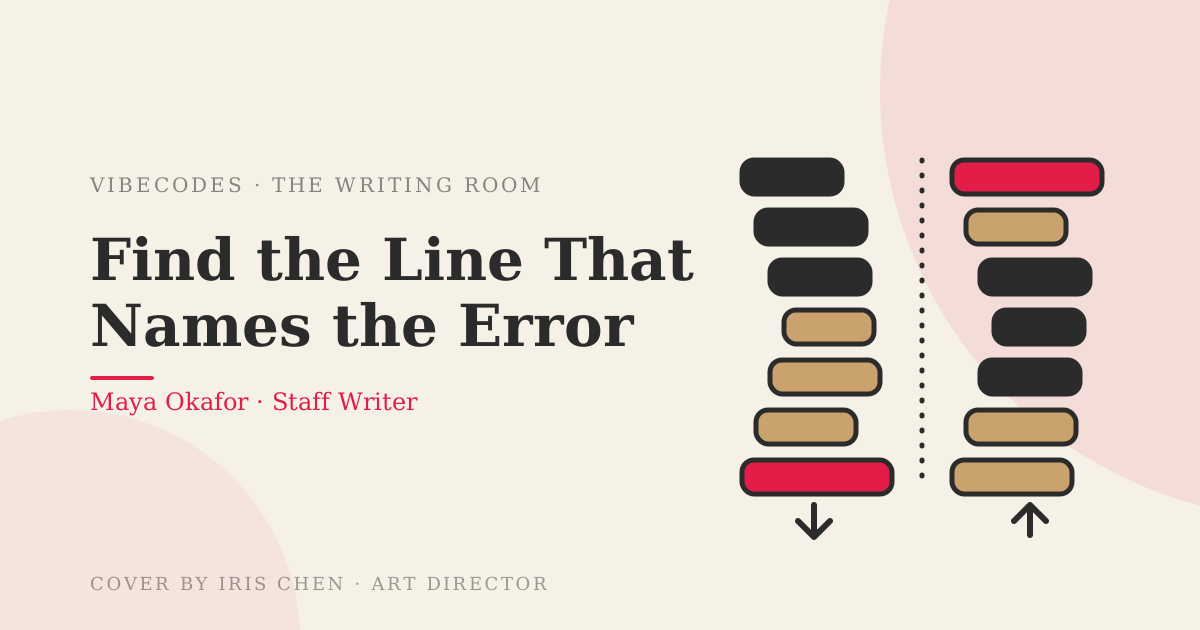
Okay so — your agent just finished a task, the terminal is a wall of red, and a minute later the red is gone. It fixed something. You don't know what it said.
That's a real thing people ask online, in about those words: the AI fixed it, but I don't know what the error said. Agents can now chew through an error and retry before you've read a single line of it. That's wonderful right up until the day they fix the wrong thing and you can't tell.
You're not being asked to become a debugger here. You're being asked to supervise — to tell whether the agent's fix matched the actual failure. That takes a two-step habit that works for any error in any language. I reproduced the same beginner mistake in Python and in Node so you can see why a rule like "read from the bottom" falls apart the moment you switch tools.
The mistake: an empty file
You're building a tiny cafe till. Prices live in a file called prices.json. Somewhere along the way that file ended up empty (a save that didn't finish, a download that failed, an agent that rewrote it and got interrupted). Here's the Python version:
import json
def load_prices(path):
with open(path) as f:
text = f.read()
return json.loads(text)
def total(order):
prices = load_prices("prices.json")
return sum(prices[item] for item in order)
print(total(["tea", "cake"]))
And here's the same program in Node:
const fs = require("fs");
function loadPrices(path) {
const text = fs.readFileSync(path, "utf8");
return JSON.parse(text);
}
function total(order) {
const prices = loadPrices("prices.json");
return order.reduce((sum, item) => sum + prices[item], 0);
}
console.log(total(["tea", "cake"]));
Same file, same bug, same three functions. Now watch what each one prints.
Python's red
I ran this on Python 3.11.17 with an empty prices.json. I've shortened my folder path to cafe.py; everything else is as printed:
Traceback (most recent call last): File "cafe.py", line 12, in <module> print(total(["tea", "cake"])) File "cafe.py", line 9, in total prices = load_prices("prices.json") File "cafe.py", line 6, in load_prices return json.loads(text) File "/usr/lib/python3.11/json/__init__.py", line 346, in loads return _default_decoder.decode(s) File "/usr/lib/python3.11/json/decoder.py", line 337, in decode obj, end = self.raw_decode(s, idx=_w(s, 0).end()) File "/usr/lib/python3.11/json/decoder.py", line 355, in raw_decode raise JSONDecodeError("Expecting value", s, err.value) from None json.decoder.JSONDecodeError: Expecting value: line 1 column 1 (char 0)
(Python 3.11 also draws little ^^^^ markers under each line. I left them out to keep this readable.)
The last line is the one that names the failure: a JSONDecodeError, with the message "Expecting value: line 1 column 1 (char 0)". Translation: I started reading JSON and found nothing at the very first character. (That whole block is a traceback — Node calls its version a stack trace — just a list of the function calls the program was inside when it crashed.)
Everything above it is the path the program walked to get there. Python prints the oldest call first and the newest last, so the walk ends right next to the answer.
Node's red
Same bug, Node v22.22.0. Again I've shortened my path to cafe.js, and I've trimmed the last few loader frames and the Node.js version line that closes the real output, because they're noise for our purposes:
<anonymous_script>:1 SyntaxError: Unexpected end of JSON input at JSON.parse (<anonymous>) at loadPrices (cafe.js:5:15) at total (cafe.js:9:18) at Object.<anonymous> (cafe.js:13:13) at Module._compile (node:internal/modules/cjs/loader:1706:14) at Object..js (node:internal/modules/cjs/loader:1839:10) ...
The failure is named at the top this time: SyntaxError, "Unexpected end of JSON input". Node opens with a couple of lines of preamble, so the first line isn't literally the first line. It's the first line that looks like a Type: message.
And the frames run the other way. The newest call is first, the oldest last. Same information, flipped. (These are the exact words my Python 3.11 and Node 22 printed; a newer version may word the red slightly differently or trim different frames — the versions are my output, but the two-step job survives any of them.)
The flip is why you shouldn't memorize a direction
This is the bit tutorials trip over. One says "read from the bottom." You open a Node error, read the bottom, and get a wall of node:internal/modules/cjs/loader lines that mean nothing to you.
The other tutorial says "read from the top." You open Python and read the top, which is just print(total(...)), the very start of your program. Neither tells you what broke.
Don't memorize a direction. Memorize a job. Here's the rule, in two steps:
- Step 1: find the line that names the failure. It has an error type (JSONDecodeError, SyntaxError, KeyError, TypeError) followed by a message. In Python it's the last line. In Node it's the first line that looks like Type: message.
- Step 2: find the frame nearest the error that points at your own file. A frame is one line of that list — a single place the program passed through. Skip anything that points at a library (json/decoder.py, node:internal/...) and take the nearest one that points at a file you or your agent wrote. In Python that's cafe.py line 6. In Node it's cafe.js:5:15.
Step one tells you what went wrong. Step two tells you where your code was standing when it did. That's all a frame is: a location.
Where the agent goes wrong
Here's the failure this habit is built to catch. I want to be straight about what I'm showing: this is a patch I wrote to illustrate the trap, not a recording of a specific tool. But it's exactly the kind of fix you get when the error arrives as a frame instead of a message.
Imagine the agent is handed only this:
File "cafe.py", line 6, in load_prices return json.loads(text)
That's a location. It says "the crash was here" and nothing else. A confident fix for a line that says json.loads is to make json.loads stop crashing:
def load_prices(path):
with open(path) as f:
text = f.read()
try:
return json.loads(text)
except json.JSONDecodeError:
return {}
I ran the program with that patch. The red is different, which feels like progress:
File "cafe_patched.py", line 13, in <genexpr> return sum(prices[item] for item in order) KeyError: 'tea'
It crashed on a different line, with a different error, so the "fix" worked in the sense that the crash moved. But it fixed the location. The real failure was never "json.loads crashes." The real failure was "the file is empty," and the message said so: nothing found at column 1, character 0.
Worse, the patch buried it. Now the program swallows the clue, pretends the price list is empty, and complains about tea instead. If an agent keeps going from here, it'll start adding prices to a dictionary in code, and your prices.json stays broken forever. You've shipped a workaround and lost the cause.
Meanwhile the two-step read takes ten seconds. Step one: nothing found at the very first character. Step two: load_prices, line 6, is reading the file whose contents are in question. Check the file — 'wc -c prices.json' prints its size in bytes, and here it comes back 0. Put the prices back:
echo '{"tea": 2.5, "cake": 4}' > prices.json
I ran both programs after that, and both print 6.5. No code changed at all.
Why this matters
That's the whole posture: supervising, not debugging.
When an agent fixes errors faster than you can read them, the only thing between you and weeks of accumulated workarounds is whether you can tell what was wrong. A name and a message let you check the agent's fix against the actual failure. "It changed a line I never touched" stops being scary once you can see that the line it touched was only ever the location.
It also makes your questions better. "Fix this" invites a guess at the location. "It says JSON ended at the first character, can you check that the file isn't empty" points at the cause.
The habit to keep
Before you paste any red back to an agent, say two things out loud, even if only to yourself: which red you're reading (Python or Node, your code or a library), and which direction its frames run. Then find the line that names the error, and say it in your own words.
If you can't say it in your own words, you're not ready to approve the fix yet.
Your next step
Do this tonight. Copy the Python file and the Node file above into a folder, make an empty prices.json by typing 'touch prices.json' in that same folder, in a terminal, and run both. Find the naming line in each, then the frame nearest the error that points at your own file. Then do the very same empty-file bug in the other language — Python if you started in Node, Node if you started in Python — and find its naming line too. Write the name and the message on a sticky note. That's the whole skill.